


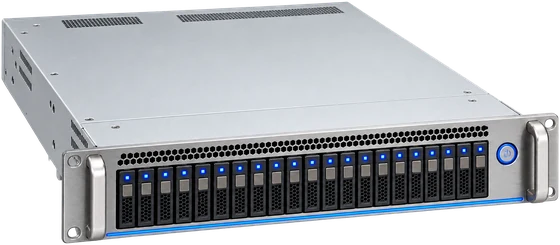














The rescue system is a small Linux that runs entirely in memory. It starts instead of your installed system, leaves the drives untouched and brings the tools needed to repair them: mdadm, LVM, ZFS, btrfs, smartmontools, nvme-cli, BorgBackup and restic.
1. Start it
On the Rescue tab of your server, choose Boot into rescue. The server restarts within a minute, and the rescue system accepts SSH logins as root with the SSH keys of your account or with a one-time password shown on the same tab. It applies to the next start only, so a normal restart afterwards brings your installed system back.
ssh root@203.0.113.10
The rescue system has its own host key, so SSH warns that the key has changed. Remove the old entry with ssh-keygen -R 203.0.113.10, then compare the new fingerprint with the one on the Rescue tab.
2. Find your disks and your data
lsblk -o NAME,SIZE,TYPE,FSTYPE,MOUNTPOINT
Depending on how the server was installed, bring the storage online first:
mdadm --assemble --scan            # software RAID
vgchange -ay                       # LVM
zpool import -N -R /mnt rpool      # ZFS, imported without mounting
Then mount the root file system on /mnt, for example mount /dev/md2 /mnt for an mdadm array or zfs mount rpool/ROOT/pve-1 on Proxmox VE.
3. Repair the installed system
To run commands inside your own system, for example to rebuild the boot files or undo a bad configuration, bind the virtual file systems and change root. Our servers start in UEFI mode, so mount the EFI system partition as well:
mount /dev/nvme0n1p1 /mnt/boot/efi
for d in dev proc sys run; do mount --rbind /$d /mnt/$d; done
chroot /mnt /bin/bash
update-initramfs -u -k all
grub-install --target=x86_64-efi --efi-directory=/boot/efi
update-grub
exit
On Proxmox VE with ZFS, the boot partitions are managed by proxmox-boot-tool: run proxmox-boot-tool refresh inside the chroot instead of the two GRUB commands.
4. Copy data back from your backup space
Your backup space in the other data center accepts the same credentials from the rescue system as from your server. With BorgBackup:
export BORG_REPO=ssh://u1234@backup-fra1.arcticdedicated.com/./main
borg list
borg extract --list ::2026-10-09T03:00 home/deploy/projects
restic works the same way, for example restic -r sftp:u1234@backup-fra1.arcticdedicated.com:/main restore latest --target /mnt. The host name and user of your backup space are on the Backups tab.
5. Check the hardware
If you suspect a failing drive, read its health before anything else:
smartctl -a /dev/sda                # SATA disks
nvme smart-log /dev/nvme0n1         # NVMe drives: watch critical_warning and media_errors
A drive that reports media errors or a critical warning should be replaced. Open a ticket with the output and we swap it, usually within two hours.
6. Return to normal
Unmount what you mounted with umount -R /mnt, export the pool with zpool export rpool if you use ZFS, then restart the server from the Power menu. With no new rescue request, it starts from its drives again.